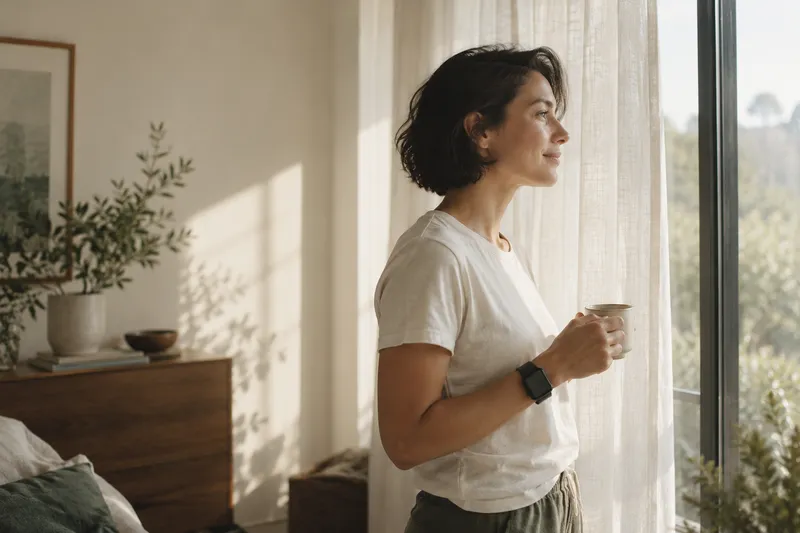
01 / CHECK IN
A calmer morning.
Know a little more about the night behind you before the day gets going.
A LITTLE MORE IN TUNE
Your watch has the numbers. Wellplease brings your sleep, readiness, and movement into focus—so you know what’s working, and what to try next.

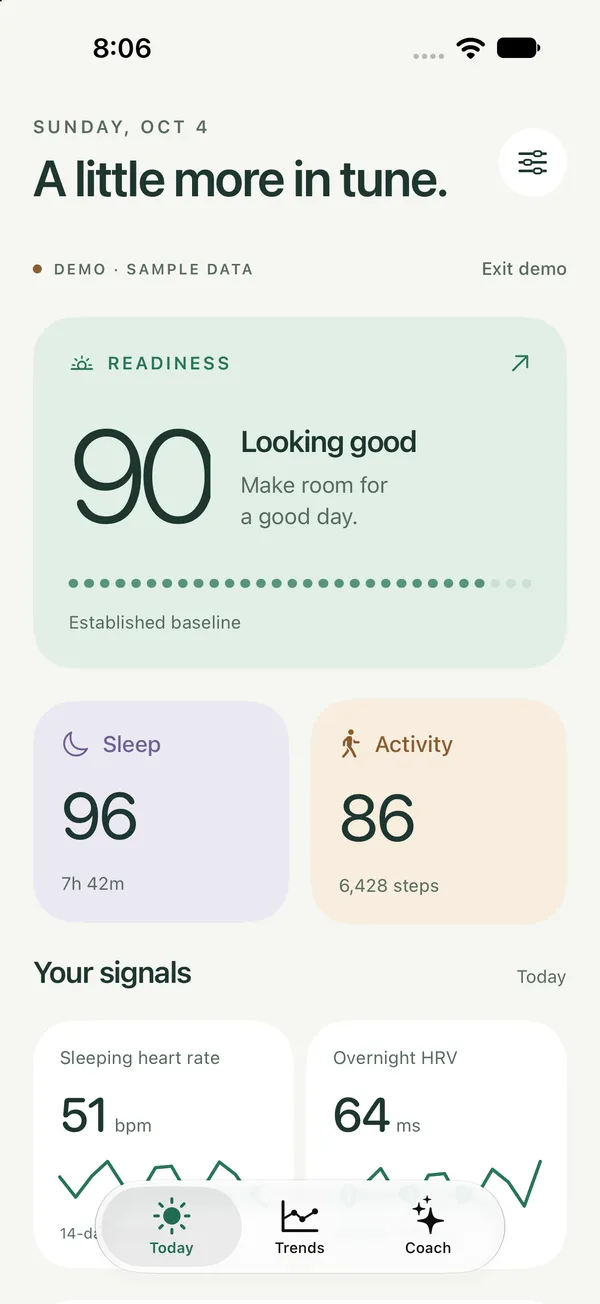
Actual app screens. Sample data. A clearer picture.
Understand your sleep.More context for the morning after.
Check in with your body.Your signals, in one calm view.
Find your next small step.Useful guidance for real life.
YOU’RE ALREADY COLLECTING THE SIGNALS
Hours asleep. Steps taken. A changing heart rate. It’s a lot to keep up with. Wellplease brings the pieces together, with context that makes them easier to use.
Meet your new morning check-inYour daily picture, with the bigger story close by.
A SIMPLE APP. A LITTLE MORE UNDERSTANDING.
Spend less time decoding your data.
Spend more time knowing what to do with it.
YOUR DAY, AT A GLANCE
Open one calm view of last night’s sleep, your body’s overnight signals, and today’s movement.
See duration, stages, and the contributors behind your Sleep score.
Readiness puts sleep, heart rate, and HRV alongside your own baseline.
Follow your steps and exercise toward the goals you choose.
THE LONGER STORY
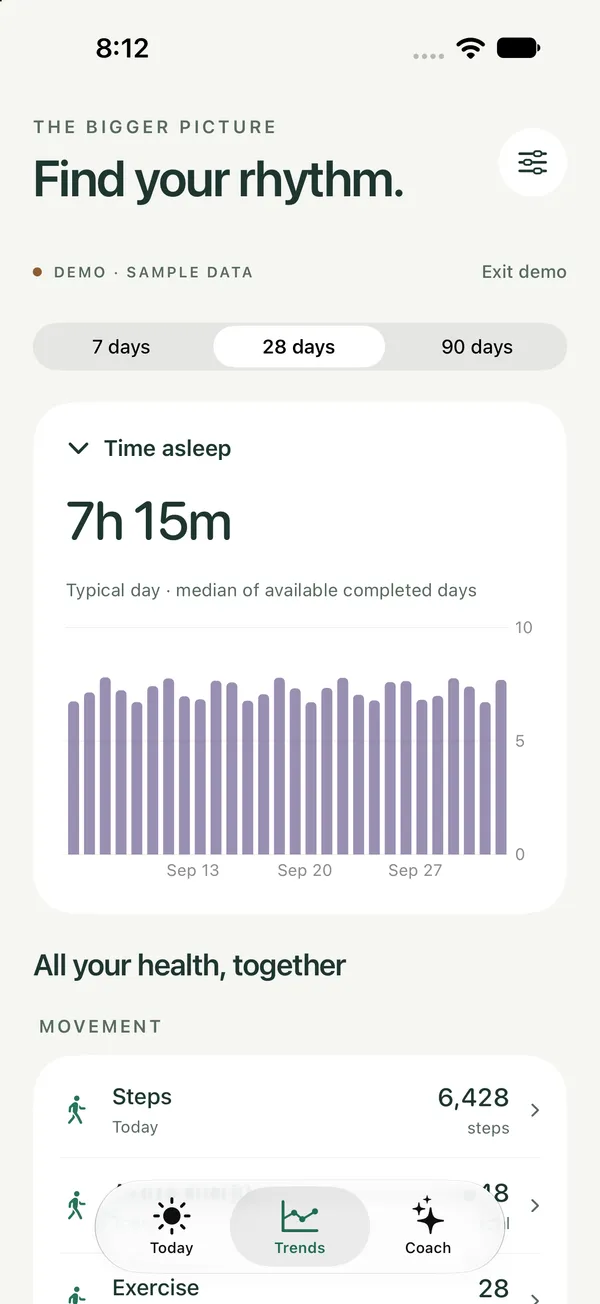
One night is one night. Take a little distance and explore how your signals change over time.
Switch between 7, 28, and 90 days without digging through different apps.
Explore sleep, heart signals, movement, and other available Health measurements.
Use your history to ask better questions about your everyday habits.
SMALL THINGS ADD UP
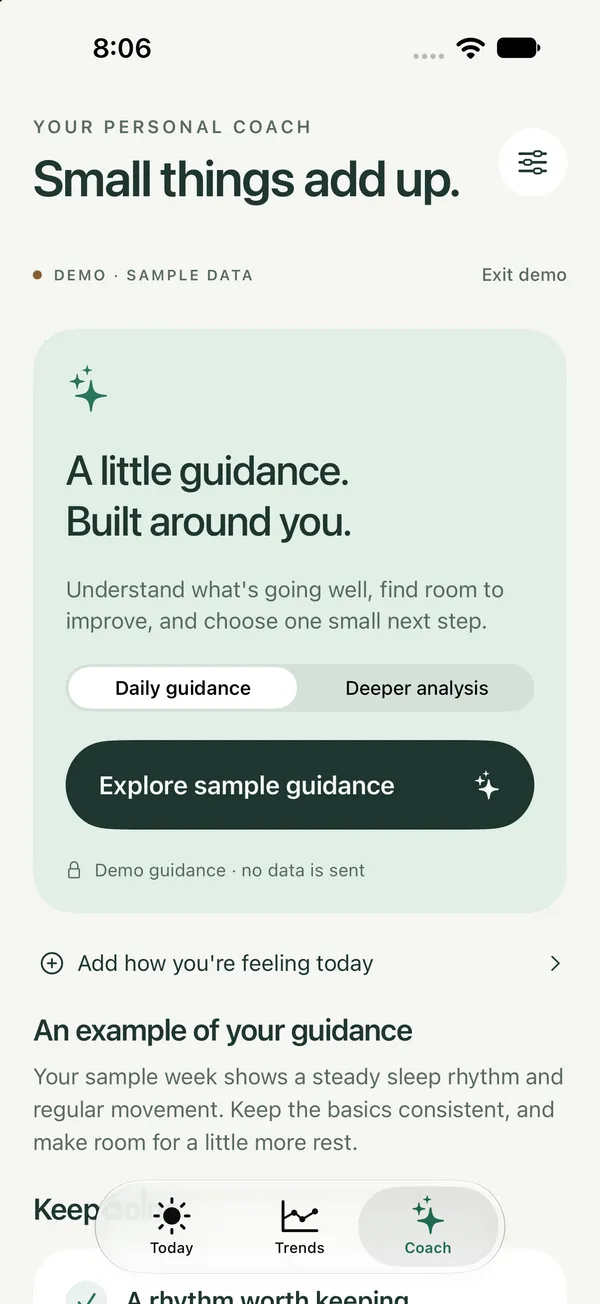
Ask for AI guidance built around the summary you choose to share. Keep the good habits. Find one useful adjustment.
“Your sample week shows a steady sleep rhythm and regular movement. Keep the basics consistent, and make room for a little more rest.”
An example from the app’s demo—not a live assessment.You review your summary before anything is shared.
FOR CURIOUS HUMANS WITH BUSY LIVES
A better day doesn’t always need a bigger plan.
Sometimes it starts with noticing one small thing.
Know a little more about the night behind you before the day gets going.

See your activity in context and make space for a pace that feels sustainable.

Bring curiosity to your sleep habits, and carry that understanding into tomorrow.
YOUR HEALTH. YOUR CHOICE.
Your health history stays on your iPhone. AI only receives a summary you review and choose to share.
The simple version of our privacy storyConnect the Health categories you’re comfortable sharing with the app.
Imported readings and personal scores live on your iPhone.
Request guidance when you want it. Review exactly what you’ll send first.
THE SIGNALS YOU ALREADY HAVE
36 supported measurements. One place to stay curious.
Available measurements depend on your devices, logged data, and Health permissions.
FROM DATA TO YOUR DAY
Choose your permissions. Your available history comes into view.
Check sleep, readiness, and movement. Explore the story over time.
Ask for guidance, notice what’s working, and keep your next step simple.
A FEW GOOD QUESTIONS
Here’s what to know before you get started.
Wellplease reads the data already available in Apple Health. An Apple Watch adds useful sleep and heart signals, but you don’t need to buy a ring or another wearable. What you see depends on your devices, recorded data, and the permissions you choose.
They turn several signals into a simple starting point for understanding your day. Sleep considers duration, continuity, and timing. Readiness combines sleep with overnight heart rate and HRV relative to your personal baseline. Activity reflects movement toward your goals. You can see the contributors in the app. These are original wellness estimates, not clinically validated measurements or copies of Oura or Bevel.
Ask for a look at what’s working, possible adjustments to sleep or exercise, and one small habit to try. Guidance uses the summary you review and choose to send. Diet suggestions stay general unless you have logged nutrition data. AI can make mistakes; use it for everyday reflection, not diagnosis, treatment, or medical decisions.
Your imported health history stays on your iPhone. AI coaching is optional: you review the daily summary before sharing it with the coaching service and OpenAI. The coaching service does not keep your health history. Provider retention may still apply. The website’s early-access list collects only your email address.
The first version is built for iPhone running iOS 27 or later. Connect Apple Health and choose which categories to allow. Some measurements need compatible hardware or another app that writes those measurements to Apple Health.
We’re preparing the first TestFlight invitations. Join the early-access list below and we’ll email you when invitations are available. You can explore actual app screens on this page while you wait.
YOUR NEXT GOOD HABIT STARTS WITH CURIOSITY
Less guessing. More understanding.
A little more in tune.
Be first to hear when TestFlight invitations open.
We’ll email you when beta invitations are ready.
Save your personal link to leave the list